
Rightmove photo rules for 2026: size, text, watermarks, AI edits and video
By Ferit Patefe Coremagna, Founder and CEO, Miravely. Last checked
Rightmove shows photos at up to 1024 by 683 pixels, so upload landscape images in a 3:2 ratio at that size or larger, and upload floorplans separately at around 900 by 900. Photos must not contain text, watermarks must be white, 30% opaque at most and no bigger than a quarter of the image, and under the January 2026 guidelines any AI or CGI edit has to be clearly labelled and shown alongside a current photo of the room.
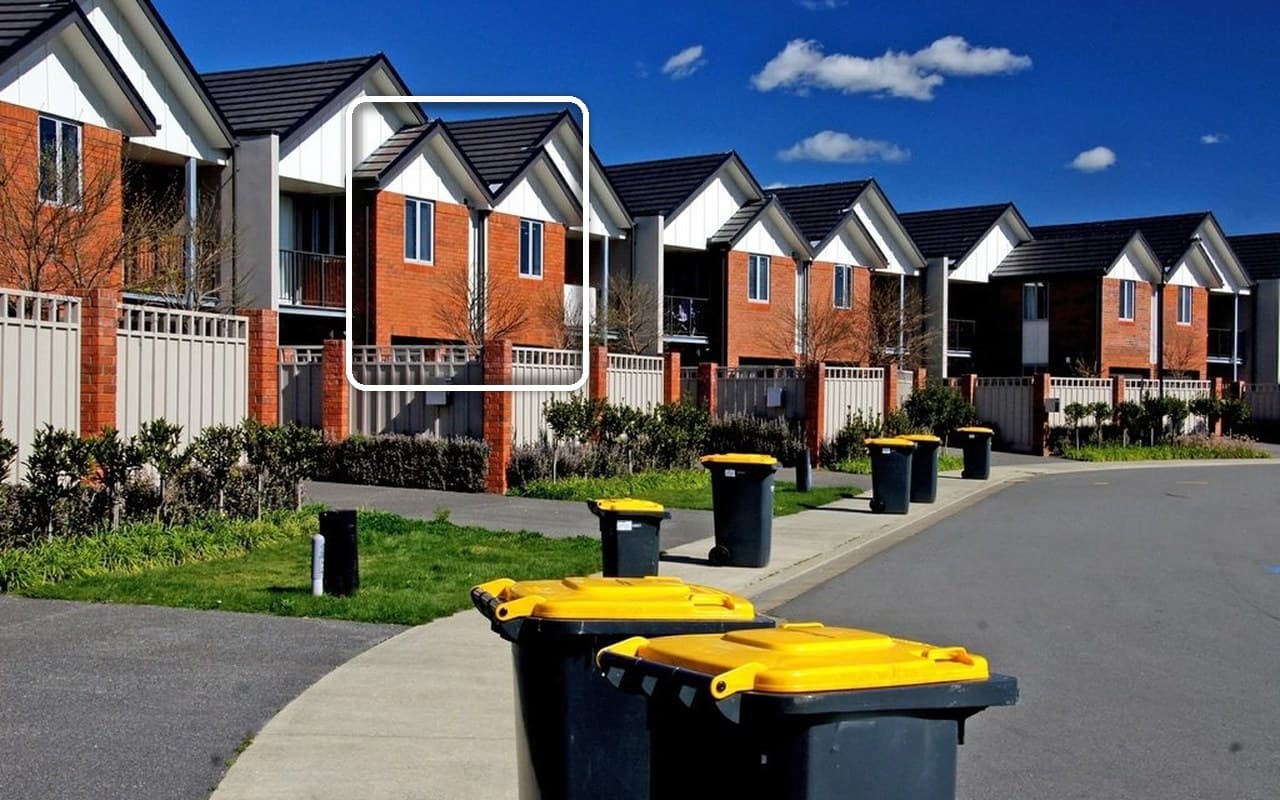 Outline added
On this page
Rightmove photo size, shape and number
Rightmove’s January 2026 technical guidelines set the content rules but give no pixel sizes. Those come from its customer FAQ and its own marketing guide, and each row below says which one it is quoting.
| What | What Rightmove says |
|---|---|
| Photo size | Landscape photos display at up to 1024 by 683 pixels. Larger files are accepted and scaled down by Rightmove, with an “enlarge” link for anyone who wants the bigger version. Rightmove Customer FAQ, “I need help with my property images” |
| Shape | 3:2, so photos fill the space on both mobile and desktop. The main gallery shows photos at 656 by 437 and search results at 224 by 149. Rightmove Customer FAQ, “I need help with my property images” |
| Too small or portrait | Avoid both. Rightmove’s guide says not to upload photos smaller than 1024px wide by 683px high, “as they’ll look blurry”, or in portrait format. Rightmove, “The exceptional agent’s guide to property marketing”, 2020 |
| How many photos | At least five, from the first day. A listing with fewer than five is flagged in the Property Performance report, and the guide says never to list a property without photos. Rightmove, “The exceptional agent’s guide to property marketing”, 2020 |
| Floorplans | 900 by 900 pixels, uploaded as a floorplan rather than as a photo, with every room’s dimensions and the total size of the property. Rightmove, “The exceptional agent’s guide to property marketing”, 2020 |
| File type and weight | JPEG, ideally no larger than 1MB a photo. This is stated for overseas listings, the one place Rightmove publishes a file size. Rightmove Overseas, “How easy is it to add images?” |
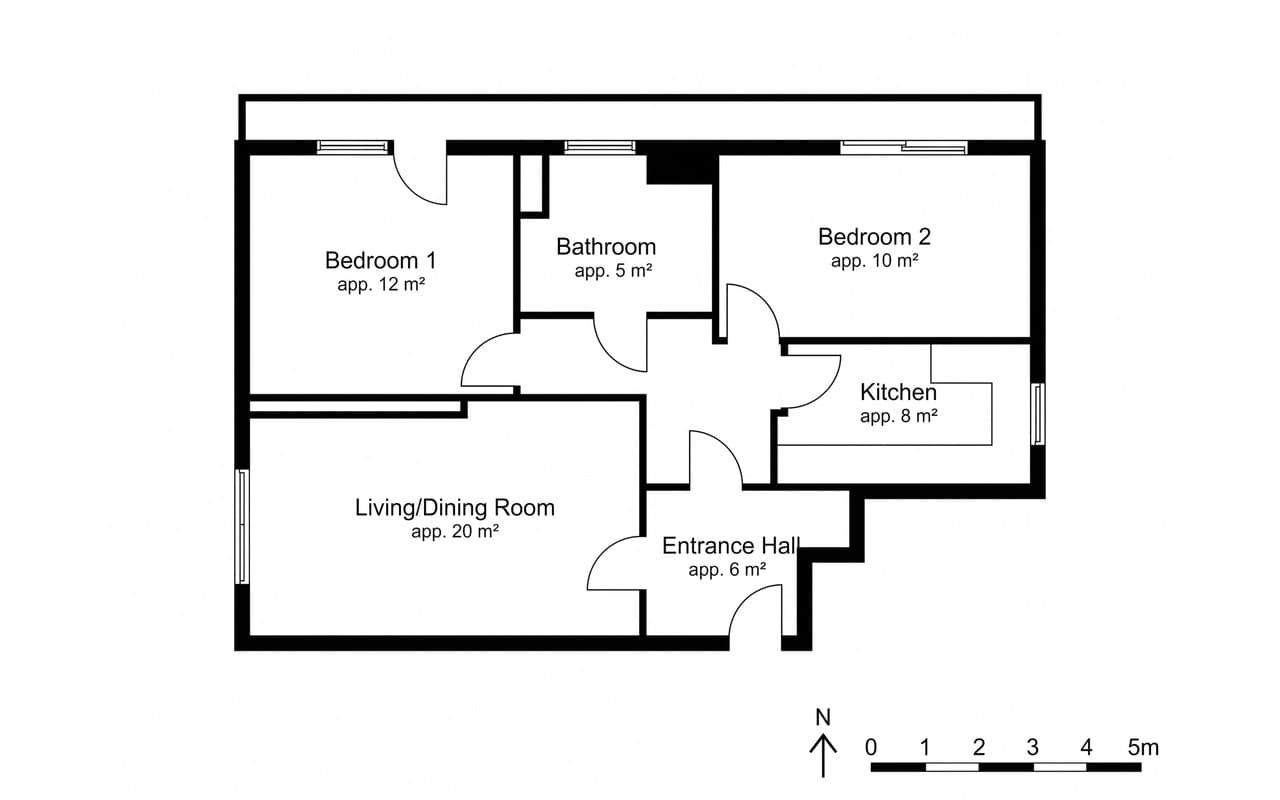 AI-generated
No text on photos: what that rules out
The rule is short: “Images must not contain text.” The same table repeats it for video, “You must not use text in images or videos (including but not limited to incentives)”, and lists borders, banners and corner flashes on images as misuse of media. Rightmove Agent and Developer Technical Guidelines, January 2026
That rules out more than prices and offers. Room names written across a photo, a “virtually staged” line burnt into the corner and a logo that has nothing to do with the property are all text or non-property images, and so is a collage: Rightmove wants “one single image” in each image area of the gallery. Rightmove Agent and Developer Technical Guidelines, January 2026
There is one exception. Where the location of the property, or a feature that matters, is unclear in the image, as in a drone shot, you may mark it “using an arrow or outline (or similar)”. The photo at the top of this page is that exception at work. Rightmove Agent and Developer Technical Guidelines, January 2026
Not allowed
Text on the image
Prices, offers, room names and labels written onto a photo or into a video.
Rightmove Agent and Developer Technical Guidelines, January 2026
Also not allowed
Borders, banners, collages
Corner flashes, frames and several photos stitched into one image area.
Rightmove Agent and Developer Technical Guidelines, January 2026
Allowed
An arrow or an outline
Only to show where the property is, or a relevant feature, when the image leaves it unclear.
Rightmove Agent and Developer Technical Guidelines, January 2026
Rightmove watermark rules
Watermarks are allowed, within limits. Only white, translucent watermarks may be used on photos, greyscale on floorplans, at an opacity of 30% or lower, and no larger than a quarter of the image. Rightmove Agent and Developer Technical Guidelines, January 2026
A logo can serve as the watermark, but Rightmove says a watermark exists only to protect copyright “and should contain no further messaging”. A phone number, a web address or “for sale” in the watermark breaks the rule the same way text on the photo does. Rightmove Agent and Developer Technical Guidelines, January 2026
In practice that means a small mark in a corner, kept away from the parts of the room a buyer is looking at. Anything that competes with the photo for attention is past the limit before it reaches a quarter of the frame.
Colour
White
On photos. Greyscale on floorplans.
Rightmove Agent and Developer Technical Guidelines, January 2026
Opacity
30% or lower
Translucent, so the photo shows through it.
Rightmove Agent and Developer Technical Guidelines, January 2026
Size
A quarter of the image, at most
And no message beyond protecting the copyright.
Rightmove Agent and Developer Technical Guidelines, January 2026
AI edits and virtual staging: Light Touch and Enhanced Edits
Since January 2026 Rightmove’s guidelines define two kinds of edit. Light Touch Edits are “minimal editing such as cropping, brightness/contrast adjustments, colour balance, shadow lifting and warming tones.” Enhanced Edits are anything generated or manipulated by AI, CGI, and manual changes “such as adding or removing objects, or making enhancements e.g. changing architectural features.” Rightmove Agent and Developer Technical Guidelines, January 2026
Both are allowed as long as they do not misrepresent the property. Enhanced Edits carry two conditions, because they “may be perceived as authentic by a consumer”: they must be accompanied by current, accurate images of the room or property, and clearly labelled as being AI or otherwise enhanced. Rightmove Agent and Developer Technical Guidelines, January 2026
Virtual staging is an Enhanced Edit, and so is a sky replaced with AI, a lawn regenerated to look greener or a photo with the bins taken out. Rightmove reserves the right to remove content it reasonably believes does not comply. Rightmove Agent and Developer Technical Guidelines, January 2026
The guidelines do not say where the label goes. Read together with the ban on text in images, it cannot go on the photo itself, which leaves the photo’s caption and the description. The unedited photo of the same room goes in the gallery beside the edited one.
Portal rules sit on top of the law. Under the DMCC Act a photo that gives a false impression of the property can be a misleading action whatever the portal allows, which our post on UK law covers in full. DMCC Act 2024, s.226 (misleading actions)
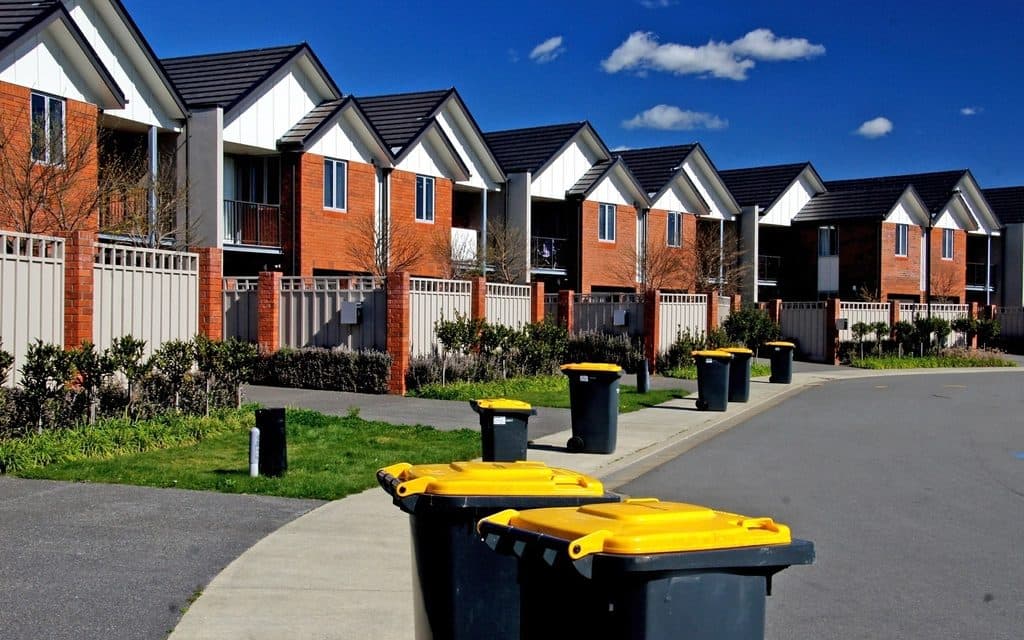 Current photo
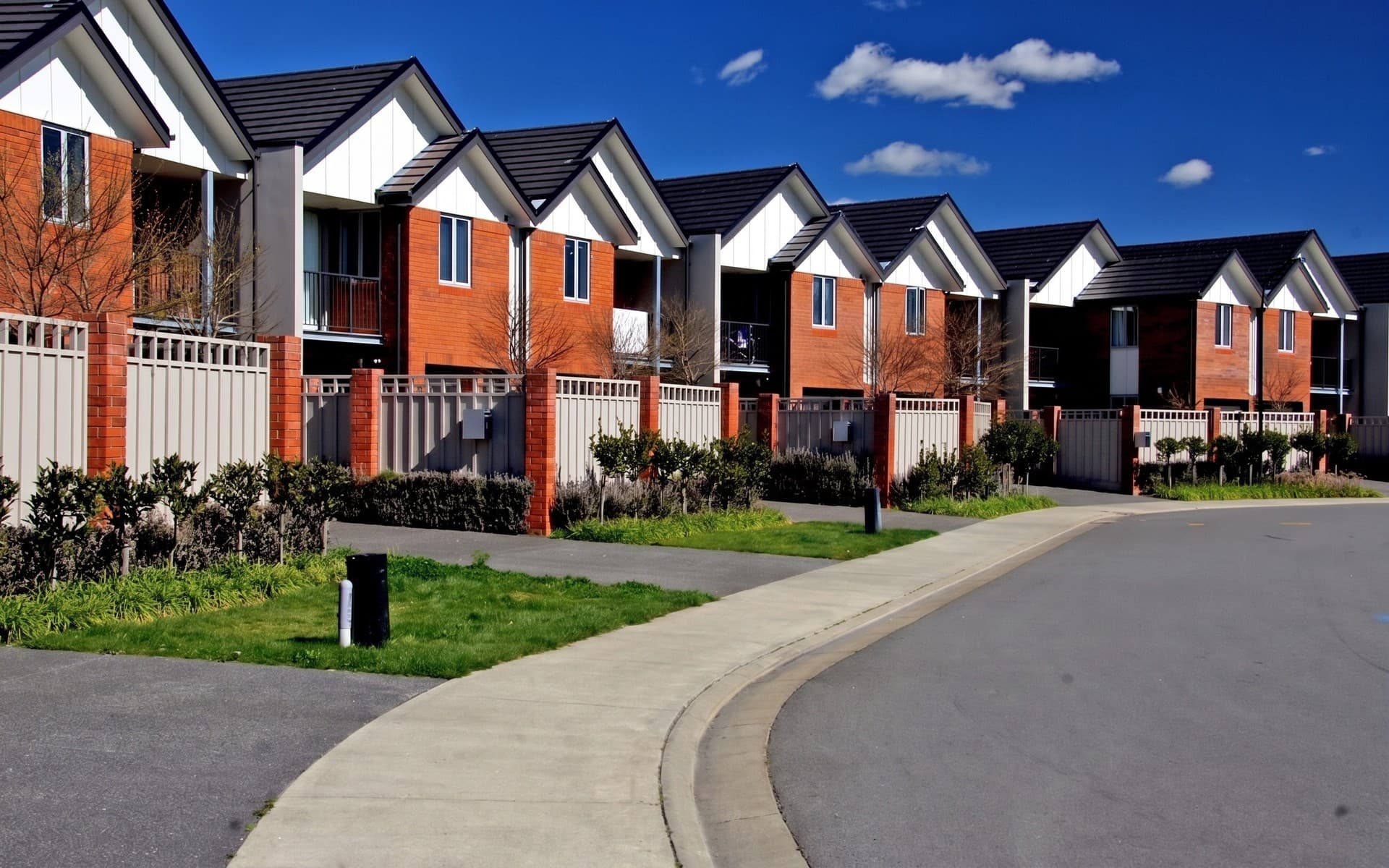 Enhanced Edit
How to put a video or virtual tour on Rightmove
In Rightmove Plus, open the property from the Property List, go to the Media tab, find the section called Additional media, select edit and then add link, and enter the video’s URL with a caption summarising what it shows. YouTube and Vimeo videos play inside the listing; any other secure link opens in a pop-up window. Rightmove Customer FAQ, “How do I add a virtual tour?”
Agents who upload through a property software data feed cannot add videos in Rightmove Plus. The tour goes in through the software, like the rest of the listing. Rightmove Customer FAQ, “How do I add a virtual tour?”
The video has to follow the same rules as the photos, and a few of its own. It must show only the property, carry no direct or third-party advertising, include no contact details or lead forms, and not send viewers to the agency’s website or any other external site. No text may appear in it, including incentives. Rightmove Agent and Developer Technical Guidelines, January 2026
Before you upload, make sure nobody in it can be identified. The guidelines ask agents to edit out people, photos of people and personal information in the background, to have the owner’s permission, and to keep the quality reasonable. Rightmove Agent and Developer Technical Guidelines, January 2026
Alt text and captions: Rightmove’s accessibility rules
The January 2026 guidelines added a section on accessibility, pointing to the European Accessibility Act. Agents should give every property photo a clear description, avoid alternative text such as “123image.jpg”, add a caption to every property video, and not upload scanned brochures or images of text. Rightmove Agent and Developer Technical Guidelines, January 2026
The same section asks for plain language and short paragraphs, and warns against links that say “click here”. None of it is hard, and a description that names the room and its best feature serves a screen reader and a searcher at the same time. Rightmove Agent and Developer Technical Guidelines, January 2026
Which photo to lead with
The first photo does most of the work. Rightmove says a property competes with up to 24 others on a results page, and that over 60% of traffic comes from mobile, “where users will only see your first photo.” Rightmove, “The exceptional agent’s guide to property marketing”, 2020
Lead with the property’s best feature, which is not always the front of the house: a kitchen, a garden or the view can be the stronger opener. Rightmove also suggests changing the first photo at least every two weeks, to give regular searchers another reason to look. Rightmove, “The exceptional agent’s guide to property marketing”, 2020
Floorplans matter more than most agents treat them. In the same guide, 82% of vendors said a floorplan was essential or very useful when selling their home, and a floorplan uploaded as a photo does not show in the floorplan tab. Rightmove, “The exceptional agent’s guide to property marketing”, 2020
Before the photos go on Rightmove
- Export every photo landscape, in 3:2, at 1024 by 683 pixels or larger. Rightmove Customer FAQ, “I need help with my property images”
- Upload at least five photos from the first day, led by the property’s best feature. Rightmove, “The exceptional agent’s guide to property marketing”, 2020
- Upload the floorplan in the floorplan slot, at about 900 by 900, with every room’s dimensions and the total size. Rightmove, “The exceptional agent’s guide to property marketing”, 2020
- Remove any text, border, banner or corner flash from the photos, and split any collage into single images. Rightmove Agent and Developer Technical Guidelines, January 2026
- Keep any watermark white, 30% opaque or less, no bigger than a quarter of the image and free of any message. Rightmove Agent and Developer Technical Guidelines, January 2026
- Label every AI or CGI edit in its caption, and put the current photo of the same room next to it. Rightmove Agent and Developer Technical Guidelines, January 2026
- Add a caption to every video, and check it has no contact details, links, text or identifiable people. Rightmove Agent and Developer Technical Guidelines, January 2026
- Write alt text for each photo that names the room and what matters in it. Rightmove Agent and Developer Technical Guidelines, January 2026
Common questions
What size should photos be for Rightmove?
Landscape, in a 3:2 ratio, at 1024 by 683 pixels or larger. Rightmove displays photos at up to 1024 by 683 and scales bigger files down itself, while anything smaller looks blurry.
Rightmove Customer FAQ, “I need help with my property images”What size should a floorplan be for Rightmove?
Around 900 by 900 pixels, uploaded as a floorplan rather than as a photo, so it appears in the floorplan tab and the search results show that the listing has one.
Rightmove, “The exceptional agent’s guide to property marketing”, 2020How many photos should a Rightmove listing have?
At least five from the day it goes live. Rightmove flags listings with fewer than five photos in its Property Performance report and advises never to list without photos.
Rightmove, “The exceptional agent’s guide to property marketing”, 2020Can you put text on Rightmove photos?
No. Rightmove’s guidelines say images must not contain text, and the same applies to videos, incentives included. The one exception is an arrow or outline showing where the property is when the image leaves it unclear, as in a drone shot.
Rightmove Agent and Developer Technical Guidelines, January 2026Are watermarks allowed on Rightmove?
Yes, if they are white on photos or greyscale on floorplans, 30% opaque or less, no larger than a quarter of the image, and used only to protect copyright, with no other message.
Rightmove Agent and Developer Technical Guidelines, January 2026Can you use AI or virtually staged photos on Rightmove?
Yes. Since January 2026 Rightmove treats them as Enhanced Edits, which are allowed if they do not misrepresent the property, are clearly labelled as AI or otherwise enhanced, and are accompanied by current, accurate photos of the room.
Rightmove Agent and Developer Technical Guidelines, January 2026How do you add a video to a Rightmove listing?
In Rightmove Plus, open the property, go to the Media tab and use Additional media to add the video’s link with a caption. YouTube and Vimeo videos play inside the listing. Agents on a data feed add videos through their property software instead.
Rightmove Customer FAQ, “How do I add a virtual tour?”Can a Rightmove video include contact details?
No. Videos must contain only property-specific content, with no contact details, lead forms or advertising, and must not send viewers to the agency’s website or any other external site.
Rightmove Agent and Developer Technical Guidelines, January 2026When you download a photo from Miravely’s virtual staging with the Rightmove crop, it comes out at 1024 by 683 with the label left off the image, and the studio tells you to put it in the caption instead.