
Every room in the house
Living rooms, bedrooms, dining rooms, home offices and hallways. Awkward proportions are handled the same as square ones, because the geometry is read rather than guessed.
Interiors
Photograph the room you have. Miravely changes the furniture, finishes and colour while the walls, windows and doorways stay exactly where your survey put them.
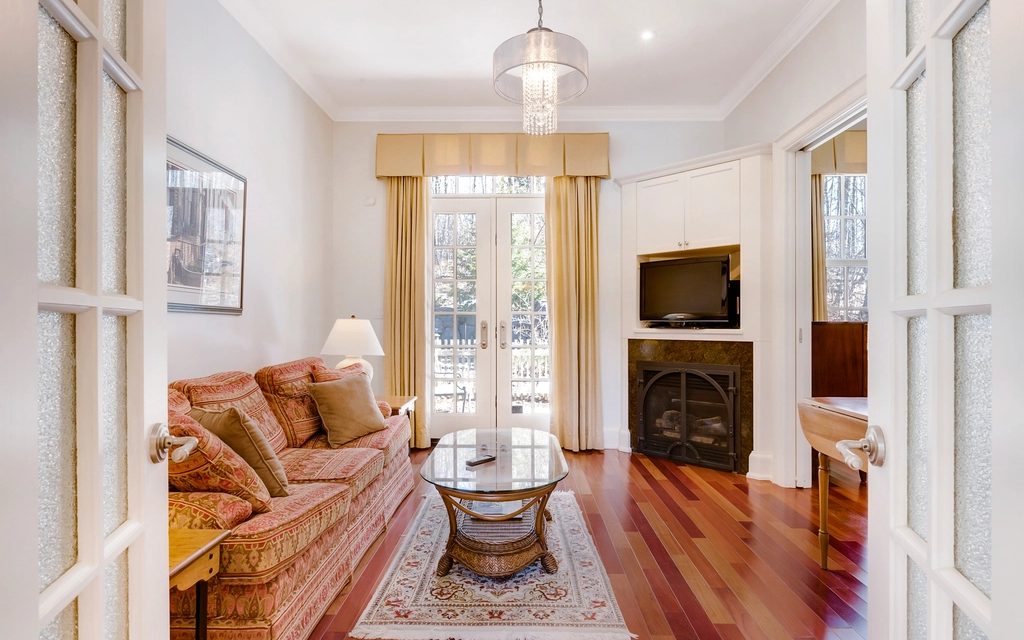 BeforeAfter
Step by step
Your photoA photograph of a furnished room.
One pick, from the studio’s own list. The example on this page used Contemporary neutral.
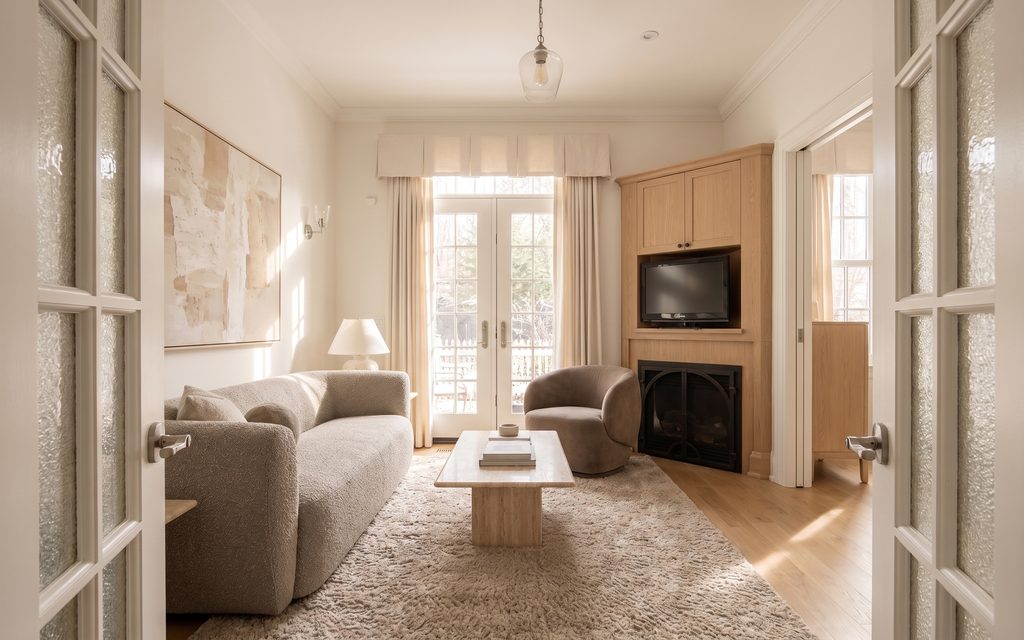 What came back
The same room, restyled, from the same spot.
Every picture here is this page’s own example: the file that was uploaded, the setting that was used, and the result exactly as it came back. Nothing was retouched afterwards.
Try it now
Drop in a photo and Miravely opens straight into interiors, no preset picking. About 30 seconds.
Drop in a photo
JPEG, PNG or WebP, up to 40 MB.
Settings
Settings
From 12 credits
This one changes what is physically in the property. Listing rules in the US and the UK expect that to be disclosed, so the studio writes that line onto the image when you download it. You can turn it off there.
This list comes out of the studio itself rather than being typed onto the page, so these are the engines you will be offered and the price you will be charged for each quality.
Nothing is generated until you press the button, and the cost is shown before that, never after. A new account starts with 72 free credits to try it with, and a generation that fails is refunded.
See what a credit costsLiving rooms, bedrooms, dining rooms, home offices and hallways. Awkward proportions are handled the same as square ones, because the geometry is read rather than guessed.
The direction the light falls from in your photo is kept. A north-facing room does not come back drenched in afternoon sun it never gets.
Run the same room through several styles and compare them against the original with the slider rather than from memory.
Questions
Yes -- Miravely reads the wall junctions, window openings and door positions out of your photo and holds them fixed. Only the furniture, the finishes and the colour change.
Yes -- a Miravely restyle changes what is physically in the room, and US MLS rules and UK advertising rules both expect that disclosed. The export can carry the label.
72 free credits, enough for a couple of photos or one short clip. No card needed.