
Units stay where the pipes are
The sink, hob and appliance runs hold their positions, so what you are looking at is a finish change rather than a fantasy replan.
Kitchens
Kitchens are the most expensive room to get wrong. Try cabinetry, worktops, splashbacks and handles against your real layout before anyone quotes for it.
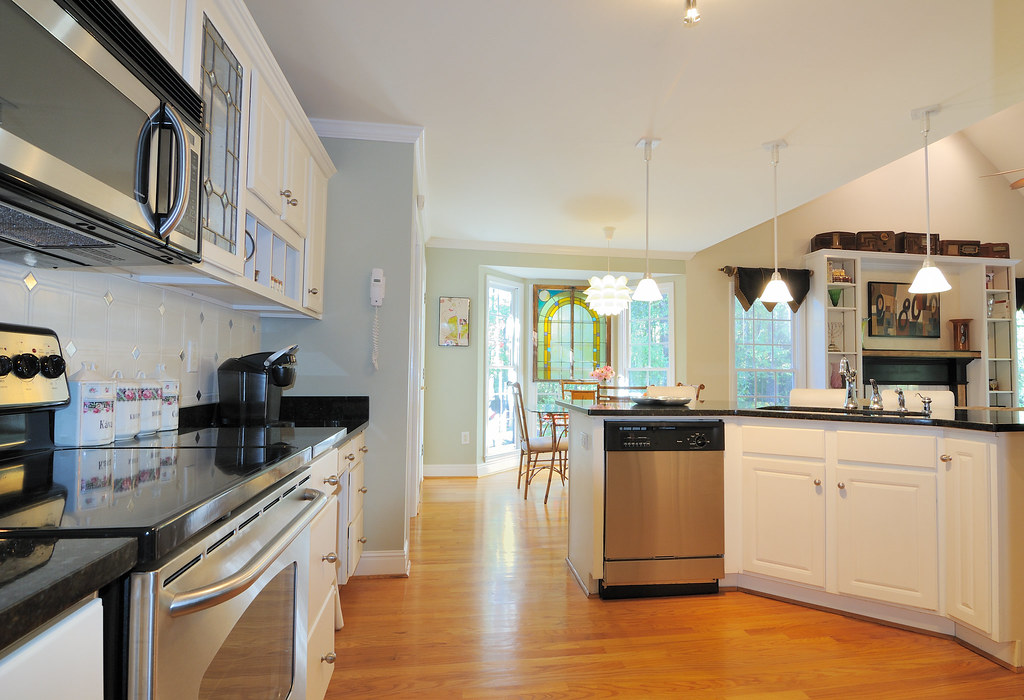 BeforeAfter
Step by step
Your photoA photograph of the room or the facade you want to test a finish on.
One surface at a time, from the studio’s own list, and what it should become in your own words. Everything else in the frame is left exactly as photographed.
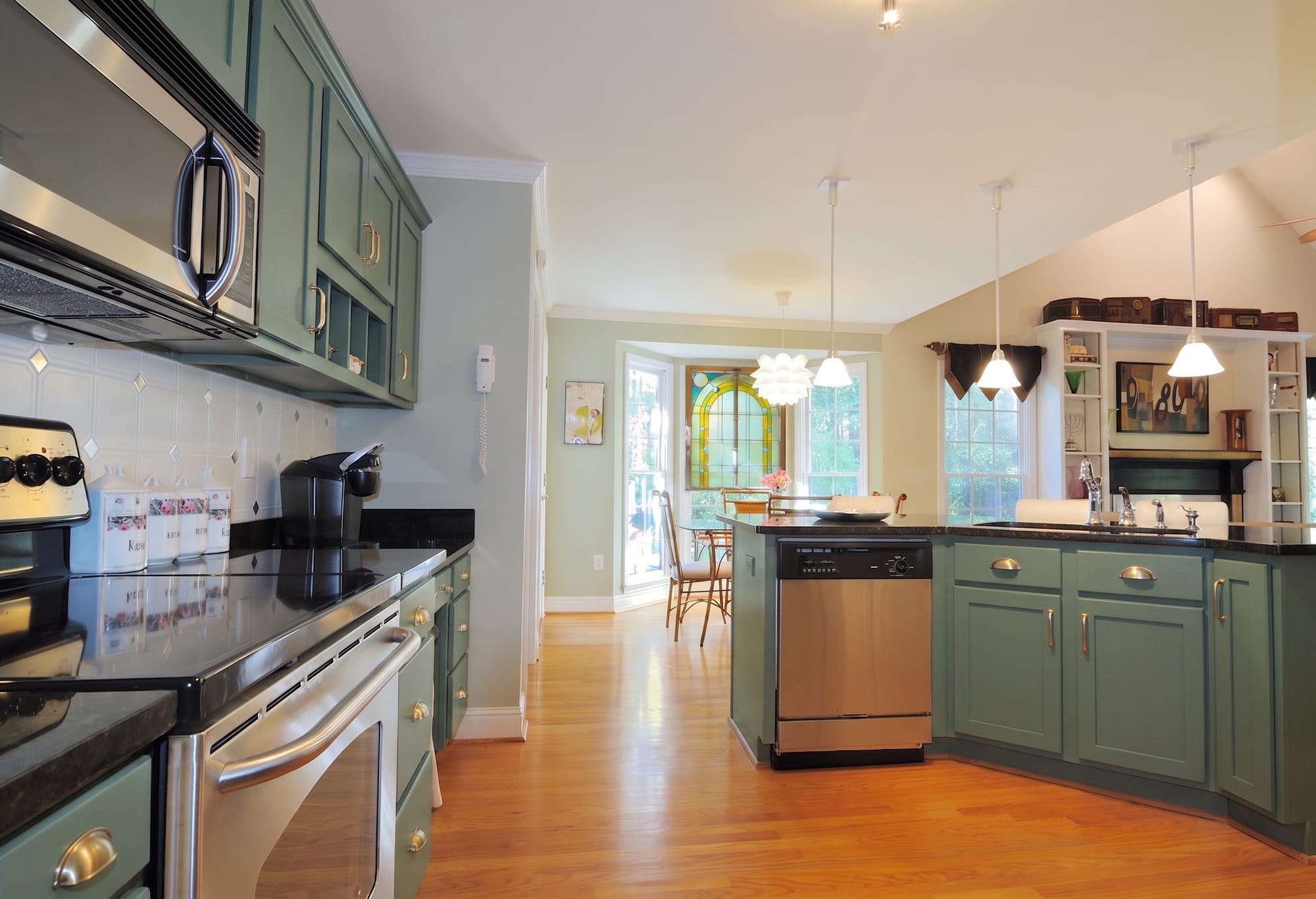 What came back
The same photograph with the new surface on it.
Every picture here is this page’s own example: the file that was uploaded, the setting that was used, and the result exactly as it came back. Nothing was retouched afterwards.
Try it now
Drop in a photo and Miravely opens straight into kitchens, no preset picking. About 30 seconds.
Drop in a photo
JPEG, PNG or WebP, up to 40 MB.
Settings
Settings
From 12 credits
This list comes out of the studio itself rather than being typed onto the page, so these are the engines you will be offered and the price you will be charged for each quality.
Nothing is generated until you press the button, and the cost is shown before that, never after. A new account starts with 72 free credits to try it with, and a generation that fails is refunded.
See what a credit costsThe sink, hob and appliance runs hold their positions, so what you are looking at is a finish change rather than a fantasy replan.
Swap one at a time. Shaker doors against the worktop you already chose, or three worktops against the doors you already chose.
Walk into a showroom with an image of your own kitchen rather than a page torn out of a brochure of someone else’s.
Questions
Yes -- Miravely holds the plumbing and appliance positions fixed. What changes is the finish: cabinet doors, worktop, splashback or handles, one at a time.
Yes -- run the same photo through Miravely as many times as you like, changing only the one surface you name each time.
72 free credits, enough for a couple of photos or one short clip. No card needed.