
Say what to keep
Naming something you want preserved is treated as an instruction, not a suggestion.
In your words
Presets cover the common cases. When yours is not common, describe it: "keep the fireplace, lose the carpet, dark green walls, brass fittings".
“keep the fireplace, lose the carpet, dark green walls, brass fittings”
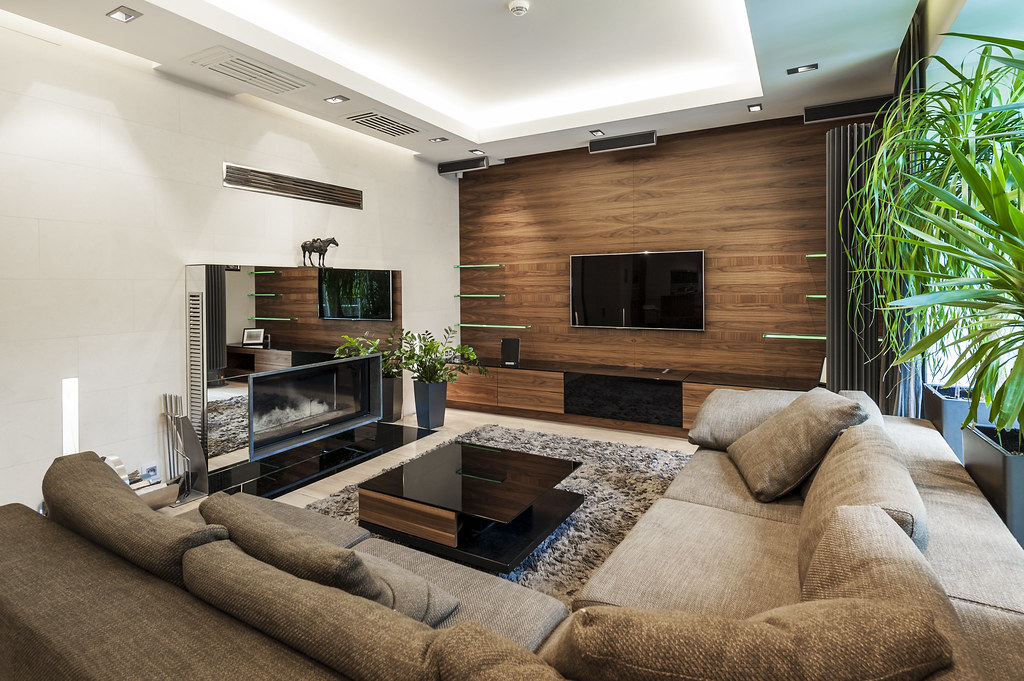 BeforeAfter
Step by step
Your photoA photograph of a furnished room.
Your own sentence, instead of a preset. The example on this page is the one on the card.
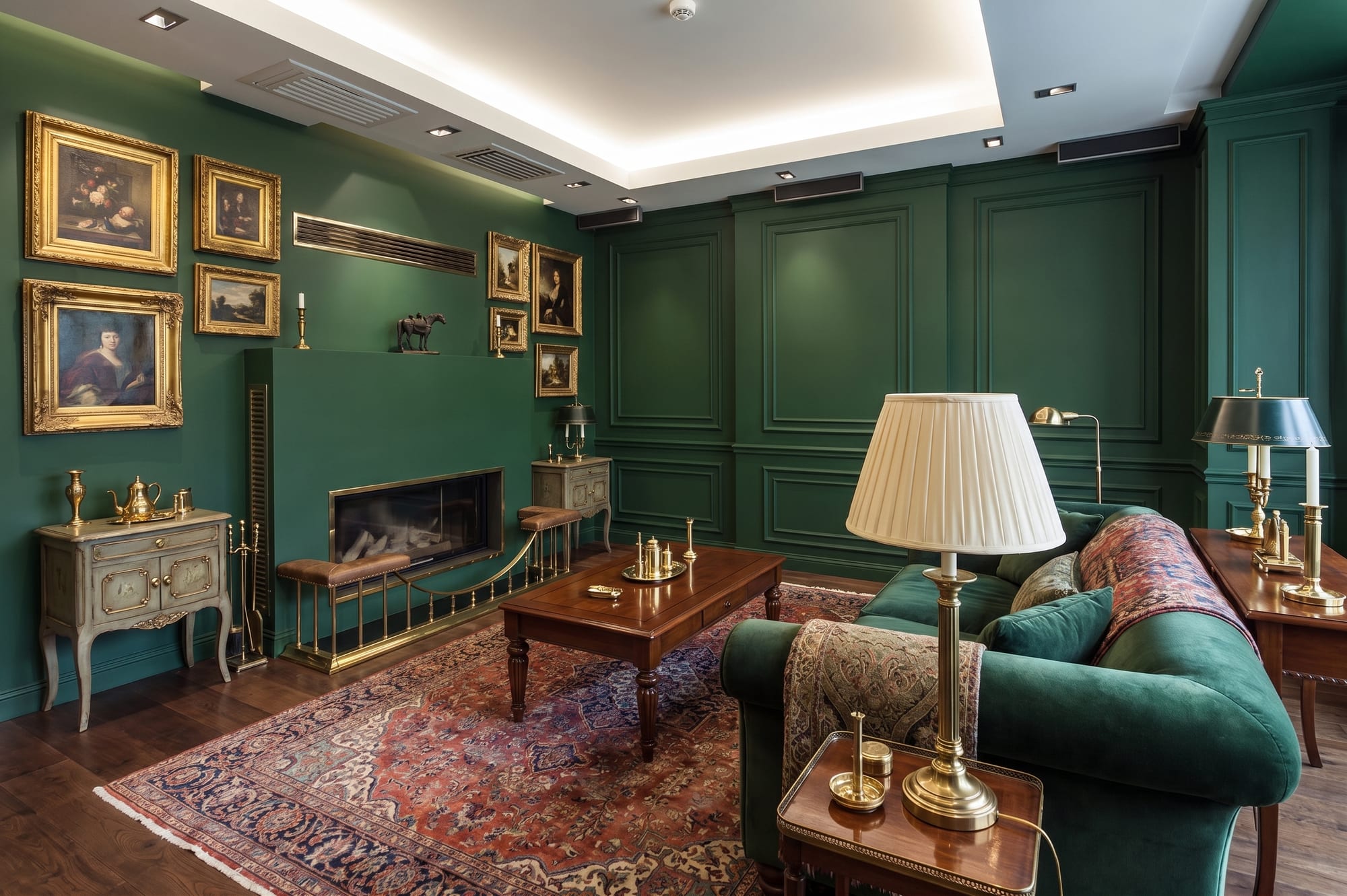 What came back
The same room, restyled, from the same spot.
Every picture here is this page’s own example: the file that was uploaded, the setting that was used, and the result exactly as it came back. Nothing was retouched afterwards.
Try it now
Drop in a photo and say what you want changed in your own words -- that is the whole point of this one.
Drop in a photo
JPEG, PNG or WebP, up to 40 MB.
Settings
Settings
From 12 credits
This one changes what is physically in the property. Listing rules in the US and the UK expect that to be disclosed, so the studio writes that line onto the image when you download it. You can turn it off there.
This list comes out of the studio itself rather than being typed onto the page, so these are the engines you will be offered and the price you will be charged for each quality.
These are the settings for Restyle any room, the job the example on this page was run with. Every photo job is priced the same way, and the engines on offer change a little from one to the next.
Nothing is generated until you press the button, and the cost is shown before that, never after. A new account starts with 72 free credits to try it with, and a generation that fails is refunded.
See what a credit costsNaming something you want preserved is treated as an instruction, not a suggestion.
No prompt syntax to learn, no weights, no negative prompts. It reads as English.
Follow up with "warmer" or "fewer plants" and the previous result is adjusted rather than thrown away.
Questions
Say it to Miravely in plain English -- "keep the fireplace, lose the carpet" is enough. There is no prompt syntax to learn and no weighting to get right.
Miravely shows you what it understood before anything is generated, so you can correct it or fall back to the preset controls instead.
72 free credits, enough for a couple of photos or one short clip. No card needed.