
Kling and Higgsfield for real estate video: prompts, costs and why rooms warp
By Ferit Patefe Coremagna, Founder and CEO, Miravely. Last checked
To make a real estate video with Kling on Higgsfield, generate one clip of four to five seconds for each step of the walk, pin each clip to the photo it starts on and the photo it ends on, and write every prompt in four parts: the shot, the move, what must not change and what must never happen. Then watch every clip at full size, the middle as closely as the ends, because the middle is where the model invents the walls, doors and windows that were never there.
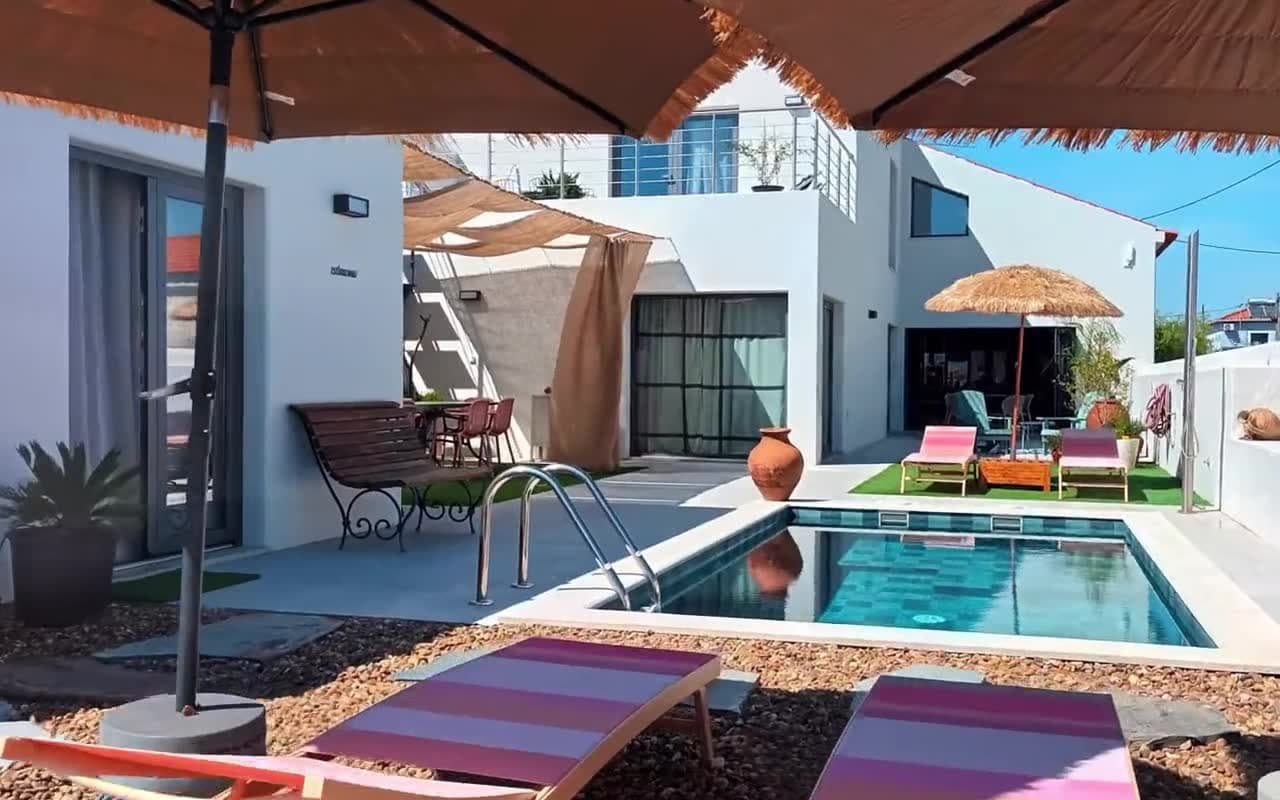 Frame from an AI clip
On this page
What a real estate clip costs on Higgsfield
Higgsfield sells several video models against one balance of credits. These are its own estimates for a five-second clip as listed on September 26, 2026, on a plan of $39 a month, billed yearly, that includes 1,000 credits.
| Model | Credits for a five-second clip |
|---|---|
| Kling Omni 3, first and last frame | About 5 credits at 720p and 6 at 1080p, roughly $0.23 a clip at 1080p. The mode for a walkthrough, because the clip is pinned to a photo at each end. Higgsfield pricing |
| Kling 3.0 | About 7 credits at 720p, 8 at 1080p and 30 at 4K, roughly $0.31 a clip at 1080p. Higgsfield pricing |
| Seedance 2.0 | About 22 credits at 720p, 45 at 1080p and 110 at 4K. One 1080p clip costs as much as five or six from Kling 3.0. Higgsfield pricing |
| Seedance 2.0 Fast | About 12 credits at 720p. Higgsfield pricing |
Use the first and last frame mode
Kling can start a clip from one photo, but one photo is one view of a room, and once the camera moves, everything it turns toward has to be made up. Kling Omni 3’s first and last frame mode takes a second photo for where the clip must end, so the model only has to find a path between two views it has been shown. Higgsfield pricing
Measured on the same house in Miravely, clips pinned to two photos held the room and clips from a single photo did not, which is why its tour studio runs every clip from one listing photo to the next.
Pair the photos so each two share something: a doorway, a wall, a window or a view. A pair with nothing in common makes the model invent the connection between them, and that is where extra corridors and doors come from. Where two photos are far apart, add a photo between them, because one clip asked to cover the whole distance will rush it.
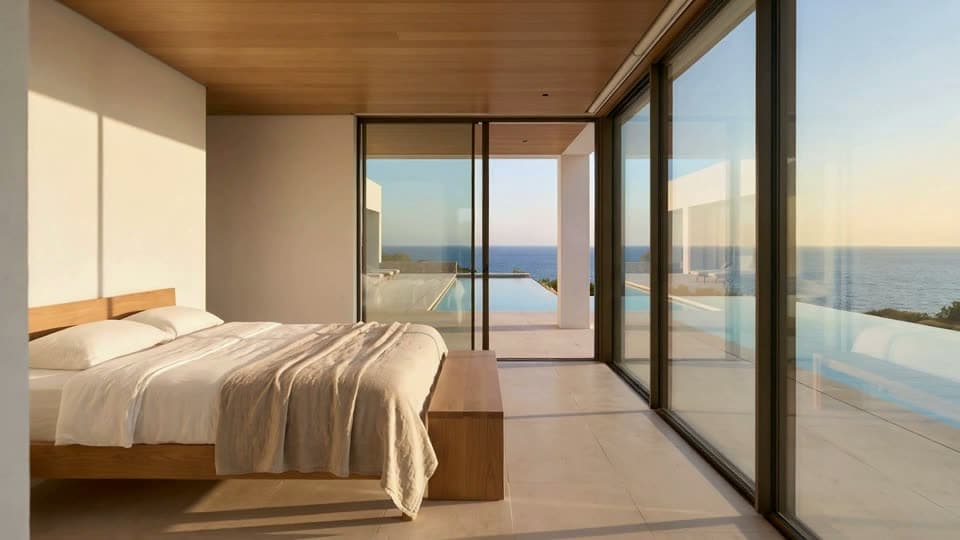 First frame
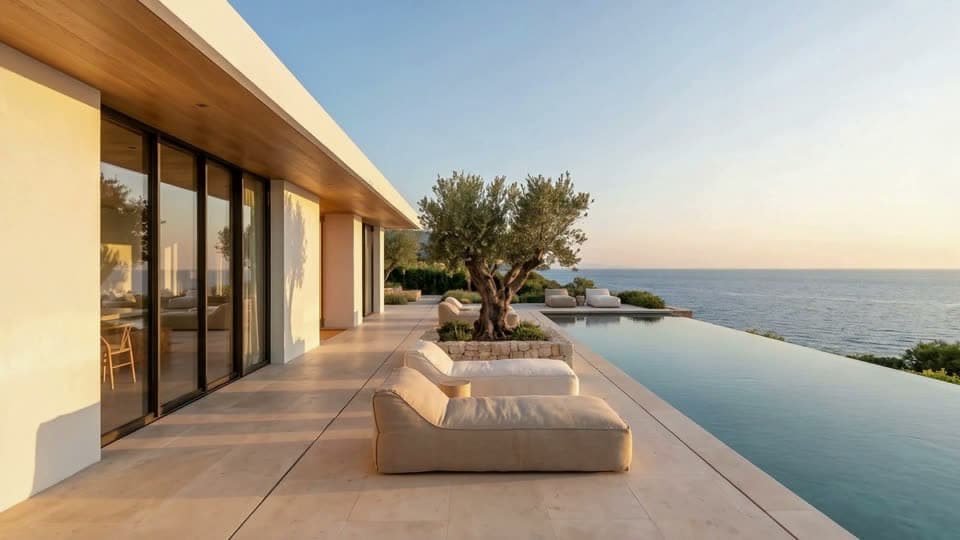 Last frame
A Kling prompt for real estate, in four parts
Write every clip’s prompt in the same four parts, in this order. Length does no harm, and most of the work is done by the last two.
1. The shot
One line that rules out editing: “One continuous first-person walkthrough, a single unbroken take, no cuts.” Without it, a model can cut, dissolve or jump to another angle halfway through the clip.
2. The move
Where the camera starts, how it moves and where it stops, in plain words, then how it is carried: “stabilized gimbal at chest height, unhurried pace, horizon level, no tilt, no roll.”
Describe what the frame should show rather than naming a lens. A video model can act on “the whole room in frame, the far wall small”, and it does not reliably follow a focal length such as 24mm.
3. What must not change
Begin with “Everything in the scene is real and stays exactly as it is:” and then count what can be counted. Two columns, the left one by the window. Three pendant lights over the island. A window with four panes. A black rail on the stairs. Models add, drop and move columns, beams and window bars, and a number holds them better than a description of the style.
4. What must never happen
One fixed block, pasted into every prompt: “Do not pass through any wall, column, glass, window or door. The camera stays inside this one room and walks around obstacles, never through them. No clipping through geometry, no camera shake, no motion blur streaks, no whip pan, no fast transition, no cut, no teleporting, no morphing walls, no columns appearing or disappearing, no new rooms, no doors that were not there, no people, no text, no watermark, no lens flare, no HDR, no glow, no bloom.”
When a clip has to leave the room, as the bedroom clip above does, replace the first two sentences with one that names the single opening the camera goes through, such as “The camera leaves through the open door ahead and never passes through a wall, glass or window”, and keep the rest.
Camera moves that hold a room, and the ones that warp it
The safest moves stay inside what both photos show. These are the lines Miravely’s clip studio writes for four of them, and each can go into the second part of a prompt as it stands. Walk in: “The camera glides slowly forward into the space at chest height, a steady dolly, stopping short of the far wall.” Pull back: “The camera drifts slowly backwards, more of the space opening into frame at the edges as it goes.” Glide past: “The camera slides slowly sideways on a level line, foreground objects crossing the lens while the far wall stays level.” Drone rise, for an exterior: “The camera climbs slowly away from the building on a drone, the plot, the roofline and the surroundings coming into frame beneath it.”
The moves that warp rooms ask the model to show what the photos do not: walking into a room that is in neither frame, circling furniture in a small room, passing a mirror, and above all stairs. On one commercial listing a staircase clip passed straight through the floor, a story the guide to turning listing photos into video tells in full.
Even a locked camera shows what a model will and will not hold. In the Room Build clip below, made in Miravely with a different model, the window grid sits in the same place in the last frame as in the first, while the sofa floats above the floor for a moment, the fire goes out and an armchair arrives and then disappears. Structure holds; loose objects are treated as suggestions.
The middle of a clip is where it goes wrong
A clip pinned at both ends is steady at both ends. On each of the six clips Miravely measured, the change from one frame to the next was low at the start, peaked in the middle and fell again at the finish, because the two photos are the only things the model is holding.
On one tour in September 2026, the first and last frames both matched their photos, and between them the camera slid off the front door into a blank wall, invented a second wooden door beside it and showed a bedroom through glass where the photo had a corridor.
Keep clips to four or five seconds. A longer clip costs more and gives the model a longer middle to invent. Shorter is not always safer, though: a long distance in a short clip makes the camera rush, which is why a photo in between beats a shorter clip.
Cutting the clips into one film
Put the clips in walking order and cut straight from one to the next. When each clip ends on the photo the next one starts on, a straight cut is clean and needs no dissolve. The shared photo is then in the film twice at every join, so trim the first frame off every clip after the first, or the walk stutters for one frame each time.
When a glitch shows up near a cut, look at the raw clip before touching the edit. On one film the dissolve was tried at 12, 6 and 2 frames before anyone opened the clip itself: the ghost on the floor was a second before the cut, inside the clip, and regenerating it was the only fix.
Keep words and figures out of both the prompt and the picture. Rightmove allows no text of any kind in a property video, and a price or a floor area belongs in the listing, where it can be checked. Rightmove Agent and Developer Technical Guidelines, January 2026
Doing it yourself or using a tool
Clip for clip, Higgsfield costs less than any listing video tool. A ten-photo tour is nine clips, about 54 credits at 1080p in Kling Omni 3’s first and last frame mode, or roughly $2 on the $39 plan before any retries. Higgsfield pricing
What it costs is an afternoon: nine prompts to write, failed clips to run again, every clip to watch and a film to cut.
Miravely, which publishes this blog, does the planning for you. It puts the photos in walking order, writes each clip’s prompt from the two photos, prices the tour clip by clip before anything runs and stitches the film. However a tour is made, watch it through before it goes on a listing.
Before you generate a listing video with Kling
- Put the photos in the order a buyer would walk the house, and pair them so each two share a doorway, a wall or a view.
- Use Kling Omni 3’s first and last frame mode, so every clip starts and ends on a real photo. Higgsfield pricing
- Keep each clip to four or five seconds, and add a photo where two are too far apart.
- Write the move in plain words and count what must not change.
- Paste the same block of negatives into every prompt.
- Leave out stairs, mirrors and moves into rooms neither photo shows, or film those with a phone.
- Watch every clip at full size, the middle as closely as the ends, and run again any that bends a line.
- Keep all text, prices and contact details out of the film. Rightmove Agent and Developer Technical Guidelines, January 2026
Common questions
Can you use Kling AI for real estate videos?
Yes. Kling turns listing photos into short camera moves, and on Higgsfield its Omni 3 model has a first and last frame mode that pins each clip to a photo at both ends, which is what keeps a room recognizable. Keep each clip to four or five seconds and each move slow.
Higgsfield pricingHow much does a Kling real estate video cost?
On Higgsfield, a five-second clip at 1080p is about 6 credits in Kling Omni 3’s first and last frame mode and about 8 on Kling 3.0, on a plan of $39 a month with 1,000 credits. A ten-photo tour is nine clips, around 54 to 72 credits before retries.
Higgsfield pricingWhat is the best prompt for an AI real estate video?
One written in four parts: the shot (one continuous take, no cuts), the move in plain words (slow, level, at chest height), what must stay exactly as it is, with columns, windows and lights counted, and a fixed list of what must never happen, from passing through walls to new doors and text.
Why do AI real estate videos warp the room?
Because the model invents whatever the photos do not show, and it does most of that inventing in the middle of a clip. Two frames per clip, clips of four or five seconds and moves that stay inside the photographed space keep it down, and watching the middle of every clip catches the rest.
Is Seedance or Kling better for real estate?
On Higgsfield’s prices, one 1080p Seedance 2.0 clip costs as much as five or six from Kling 3.0. In one side-by-side test in Miravely in August 2026, the same two living room photos and the same prompt went to Kling 3.0 and to Seedance 2.0 Mini, and only the Kling clip held the room and landed on the second photo. One test is not a verdict, so try both on your hardest pair.
Higgsfield pricingHow long should each AI video clip be?
Four to five seconds. A longer clip costs more and gives the model a longer middle to invent, and a shorter one makes the camera rush when the two photos are far apart, so add a photo between them instead.
Do I have to disclose an AI-generated walkthrough?
Where the rules reach it, yes. Wisconsin’s rule from January 1, 2027 covers advertising in any medium when technology adds, removes or changes elements of the property in a way that creates a false or misleading impression. Labeling a generated tour is good practice everywhere else.
Wis. Stat. 452.136 (1m) (advertising enhanced by technology)Miravely’s video tours run every clip from one of your photos to the next, write the prompts for you and price the whole film before anything is generated.