
MLS photo size requirements in 2026: 10 MLSs and Zillow, compared
By Ferit Patefe Coremagna, Founder and CEO, Miravely. Last checked
Most MLSs want landscape JPEG photos of at least 1024 by 768 pixels, several recommend 1600 by 1200 or larger, and the limits run from 6MB to 40MB a file and from 36 to 100 photos a listing. Zillow takes an agent listing’s photos from the MLS feed, so the MLS’s rules are the ones that count, and a 2048 by 1536 JPEG under 6MB fits every MLS in the table below.
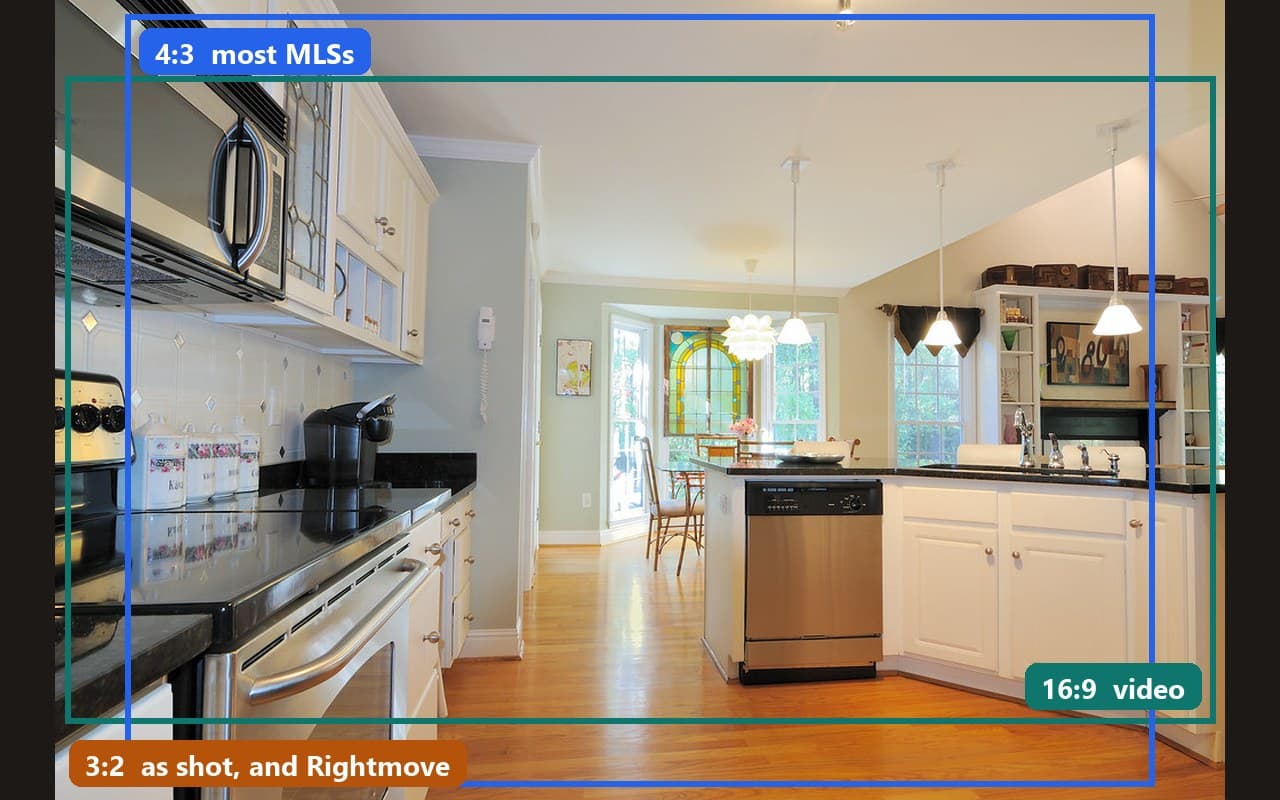 Crop guides added
On this page
MLS photo requirements, MLS by MLS
Every row is taken from that MLS’s own help page, rules or course notes, as they read in September 2026. Limits change, so check the linked page before a large upload.
| MLS | Photos, size and file limits |
|---|---|
| Stellar MLS (Florida) | Up to 100 photos; 1600 by 1200 pixels recommended. The first photo must be a front exterior with no broker sign, a water view or an aerial. Stellar MLS, “Adding & Editing Listings” course handout, April 2022 |
| Doorify MLS (Raleigh, North Carolina) | Up to 100 photos, and at least three for a resale home within seven days of going live. Photos must be unbranded, with no contact information, promotional messages or advertising. Doorify MLS, “What are the Photo Requirements for a listing?” |
| MLS Now (Ohio) | Up to 50 photos, JPG only, at least 1024 by 768, no larger than 6MB and landscape. A front exterior must be the primary photo within 48 hours. MLS Now, “Listing Photo Rules and Requirements” |
| REcolorado (Denver) | Up to 50 photos. At least one photo is required once the listing is entered, unless the seller says otherwise. REcolorado, “FAQs: Photos” |
| Canopy MLS (Charlotte) | Up to 48 photos, .jpg or .jpeg only, 6MB each. 2048 by 1536 is the recommended minimum, because that is the size Matrix stores; anything over 3000 pixels on a side may fail. Canopy MLS, “Matrix Listing Images” |
| SmartMLS (Connecticut) | Up to 40 photos, 40MB each. JPEGs of 1920 by 1080 or larger are recommended; other formats are converted to JPEG. SmartMLS, “Photo specifications for connectMLS” |
| NWMLS (Washington) | Up to 40 photos, with 20 to 30 recommended. No superimposed graphics or text, and no people or pets. NWMLS, “Real Estate Photography 101” |
| OneKey MLS (New York) | Up to 36 photos, 10MB each, at least 1024 by 768. A front exterior photo is required within 24 hours of entry, and every photo needs a caption. OneKey MLS, “Adding and Editing Photos, Captions, and Descriptions” |
| ARMLS (Arizona) | Up to 15MB or 2000 by 3000 pixels a file, in most image formats. At least one front exterior photo within four days of going active. ARMLS, “All About ARMLS Photo Rules” |
| CVR MLS (Richmond, Virginia) | Photos as close as possible to 1024 by 768 pixels, in a 4:3 ratio. CVR MLS, “What photo size should I use on my listings?” |
One photo export that fits every MLS above
Export listing photos as landscape JPEGs at 2048 by 1536 pixels and under 6MB each. That is 4:3, the ratio most MLS systems store, it meets the largest recommended size in the table, Canopy’s 2048 by 1536, and it stays inside the smallest file limit, 6MB at Canopy and MLS Now. Canopy MLS, “Matrix Listing Images”
Bigger files buy nothing. An MLS resizes what it receives to the size it stores, and Canopy warns that files over 3000 pixels on a side may fail to upload at all. Canopy MLS, “Matrix Listing Images”
If a photo is not 4:3, some systems pad it rather than crop it. Canopy says a photo brought to 4:3 with white space at the sides or the top can be flagged as “smaller than the recommended minimum” and is fine to use. Canopy MLS, “Matrix Listing Images”
Shoot on an iPhone? SmartMLS’s help page tells agents to switch the camera’s default to JPG rather than HEIC; on the phone that is Settings, Camera, Formats, Most Compatible. SmartMLS, “Photo specifications for connectMLS”
Size
2048 × 1536
Pixels, which is 4:3 and meets every recommended size above.
Format
JPEG, landscape
Canopy and MLS Now take nothing else, and SmartMLS converts other formats to it.
Rules almost every MLS shares
A front exterior photo, and usually fast. OneKey wants one within 24 hours of entry, MLS Now within 48 hours and in the primary slot, ARMLS within four days of going active, and Stellar in the first slot unless a water view or an aerial leads. OneKey MLS, “Photograph Required for All Listings”
No branding. NWMLS will not accept photos with superimposed graphics or text, and MLS Now lists visible branding, watermarks, marketing overlays and QR codes among the things its photos may not carry. MLS Now, “Listing Photo Rules and Requirements”
No people. NWMLS bans people and pets from listing photos, including the photographer’s reflection in a window or a mirror. NWMLS, “Real Estate Photography 101”
The property as it is. REcolorado allows edits that show a home in its best light but says permanent objects cannot be removed and the landscape cannot be changed. REcolorado, “FAQs: Photos”
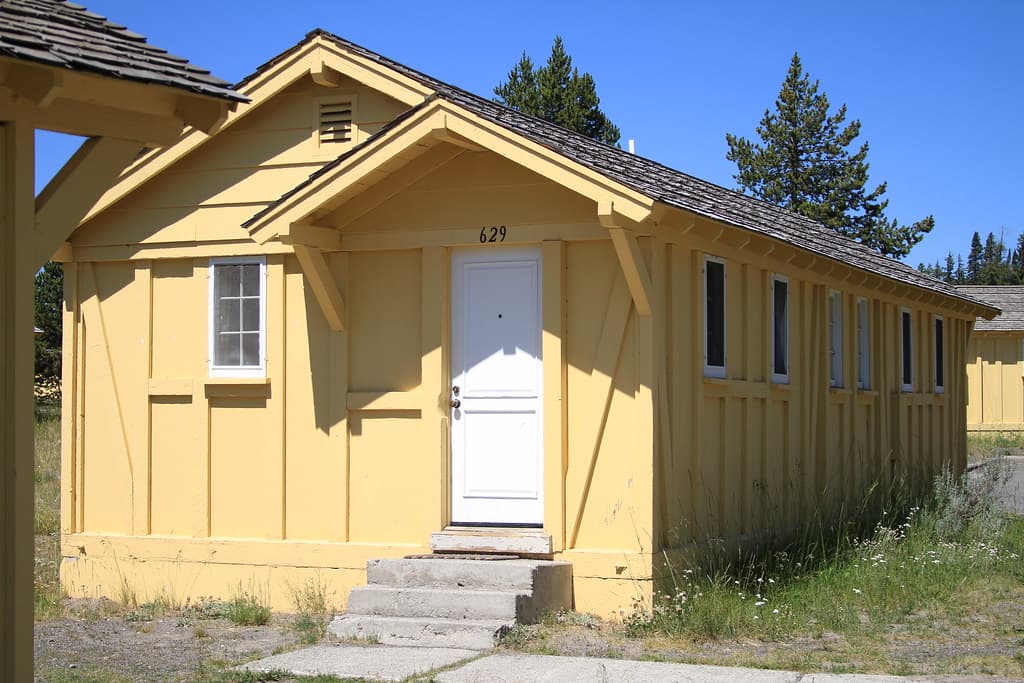 Unedited photo
Where each MLS wants the virtual staging or AI label
MLSs agree that an altered photo has to be disclosed and disagree about where the words go. Putting the label in the wrong place can be a violation even when the photo itself is allowed.
| MLS | Where the disclosure goes |
|---|---|
| Canopy MLS | On the image itself; a caption alone is not enough. The original, unstaged photo has to sit immediately before or after it. Canopy MLS, “Digital, Virtually Staged, and AI-enhanced Images” |
| MLS Now | On the image, in a readable font, as “Virtually Staged”, “Digitally Altered” or “Rendering/AI-Generated”, and repeated in the photo caption. Keep the originals in case the MLS asks. MLS Now, “Listing Photo Rules and Requirements” |
| ARMLS | The MLS’s own “Digitally Altered” watermark on the photo, paired with the original unaltered image. ARMLS, “All About ARMLS Photo Rules” |
| Stellar MLS | A caption reading “Virtually Staged” on every virtually staged photo. Stellar MLS, “Adding & Editing Listings” course handout, April 2022 |
| Bright MLS | In the Private and Public Remarks. Adding furniture to an empty room is allowed; editing out power lines or roads is not. Bright MLS image policy |
| Doorify MLS | Not currently required, but edits must not misrepresent the property: changing wall colors or flooring, removing fixtures such as a fire hydrant or improving the landscaping are not allowed. Doorify MLS, “Data Integrity: Media Guidelines” |
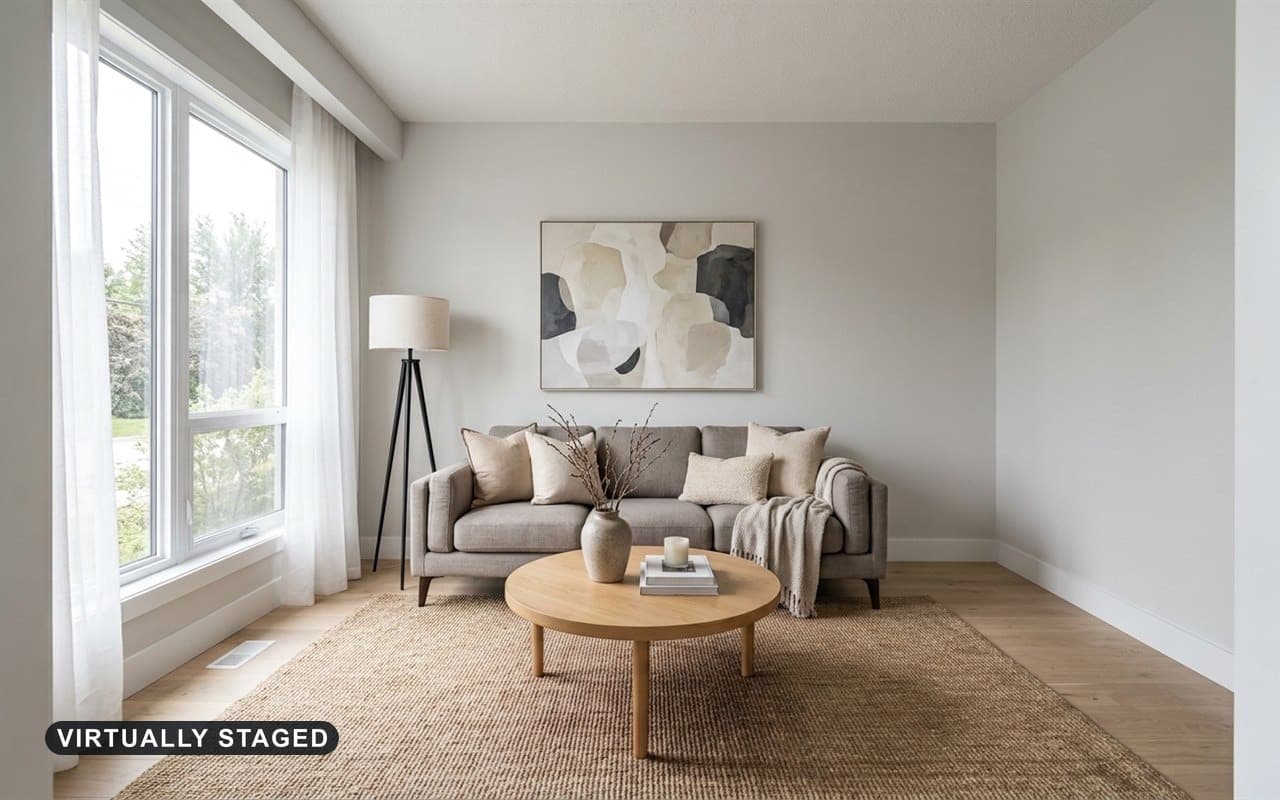 AI-generated
Zillow photo size and what Zillow does with your photos
For an agent listing there is no separate Zillow upload. Most of the photos on Zillow come from the MLS listing feed, so a listing that meets its MLS’s rules arrives on Zillow as it is. Zillow Help Center, “How do photos of my home get on Zillow?”
Photos from a previous listing do not carry over: Zillow says photos provided by earlier agents or past homeowners cannot be reused for future listings. Zillow Help Center, “How do photos of my home get on Zillow?”
For a rental in Zillow Rental Manager, the minimum is 330 by 220 pixels and the maximum file size 10MB, and JPG, PNG and GIF are accepted. Zillow may also move your chosen main photo to second place if its system predicts another will draw more contacts; it says kitchen and living room photos usually do best. Zillow Help Center, “How do I upload my rental listing photos?”
Before you upload listing photos to the MLS
- Export landscape JPEGs at 2048 by 1536 pixels, under 6MB each. Canopy MLS, “Matrix Listing Images”
- Check your MLS’s photo count limit and keep the best 20 to 30 rather than filling every slot. NWMLS, “Real Estate Photography 101”
- Put a front exterior photo in the first slot, and upload it within your MLS’s deadline. MLS Now, “Listing Photo Rules and Requirements”
- Remove logos, watermarks, text, QR codes and contact details from every photo. MLS Now, “Listing Photo Rules and Requirements”
- Check mirrors and windows for people, pets and the photographer’s reflection. NWMLS, “Real Estate Photography 101”
- Label any virtually staged or AI-edited photo in the place your MLS asks for: on the image, in the caption or in the remarks. Canopy MLS, “Digital, Virtually Staged, and AI-enhanced Images”
- Keep the unedited originals, and upload them beside staged photos where your MLS requires it. MLS Now, “Listing Photo Rules and Requirements”
- Set an iPhone to save JPEG instead of HEIC before the shoot. SmartMLS, “Photo specifications for connectMLS”
Common questions
What size should MLS photos be?
Landscape JPEGs of at least 1024 by 768 pixels, and preferably 1600 by 1200 or larger. A 2048 by 1536 JPEG under 6MB fits every MLS we checked, including Canopy MLS, which stores photos at exactly that size.
Canopy MLS, “Matrix Listing Images”How many photos can you upload to the MLS?
It depends on the MLS: 36 at OneKey, 40 at NWMLS and SmartMLS, 48 at Canopy, 50 at MLS Now and REcolorado, and 100 at Stellar and Doorify. NWMLS suggests 20 to 30 even though it allows 40.
NWMLS, “Real Estate Photography 101”What is the maximum file size for MLS photos?
Anywhere from 6MB at Canopy and MLS Now to 10MB at OneKey, 15MB at ARMLS and 40MB at SmartMLS. Keeping every photo under 6MB clears them all.
MLS Now, “Listing Photo Rules and Requirements”What size should Zillow photos be?
Agent listings reach Zillow through the MLS feed, so they follow the MLS’s size rules. For a rental listed in Zillow Rental Manager, photos must be at least 330 by 220 pixels and under 10MB.
Zillow Help Center, “How do I upload my rental listing photos?”Does the first MLS photo have to be the front of the house?
Usually. MLS Now requires a front exterior as the primary photo, Stellar puts it first unless a water view or aerial leads, and OneKey requires one within 24 hours. ARMLS only requires a front exterior somewhere in the listing.
MLS Now, “Listing Photo Rules and Requirements”Can you put a watermark on MLS photos?
Generally not. MLS Now bans visible branding and watermarks, and NWMLS rejects photos with superimposed graphics or text. The exceptions are the MLS’s own marks, such as ARMLS’s “Digitally Altered” watermark.
MLS Now, “Listing Photo Rules and Requirements”Where does the virtual staging label go on an MLS photo?
It depends on the MLS. Canopy and MLS Now want it on the image itself, Stellar in the caption, Bright in the remarks, and Doorify does not currently require one. Check your own board before you upload.
Canopy MLS, “Digital, Virtually Staged, and AI-enhanced Images”Can MLS photos be portrait?
Most MLSs expect landscape. MLS Now asks for photos in the horizontal orientation, and systems such as Canopy’s store photos at 4:3, so a portrait photo loses most of its height or gains wide empty bars.
MLS Now, “Listing Photo Rules and Requirements”When you download a photo from Miravely’s virtual staging you choose the crop and whether the label goes on the image, so one result can meet an MLS that wants the words on the photo and a portal that bans them.