
ApplyDesign alternative: Miravely
ApplyDesign is best for someone who wants to pay per image rather than commit to a subscription, staging one photo at $7-10.50 with a free first image to try it. Miravely is best for anyone doing more than a handful of photos a month, since its per-room cost drops with volume and it adds batch processing across a whole listing that ApplyDesign’s own site does not describe.
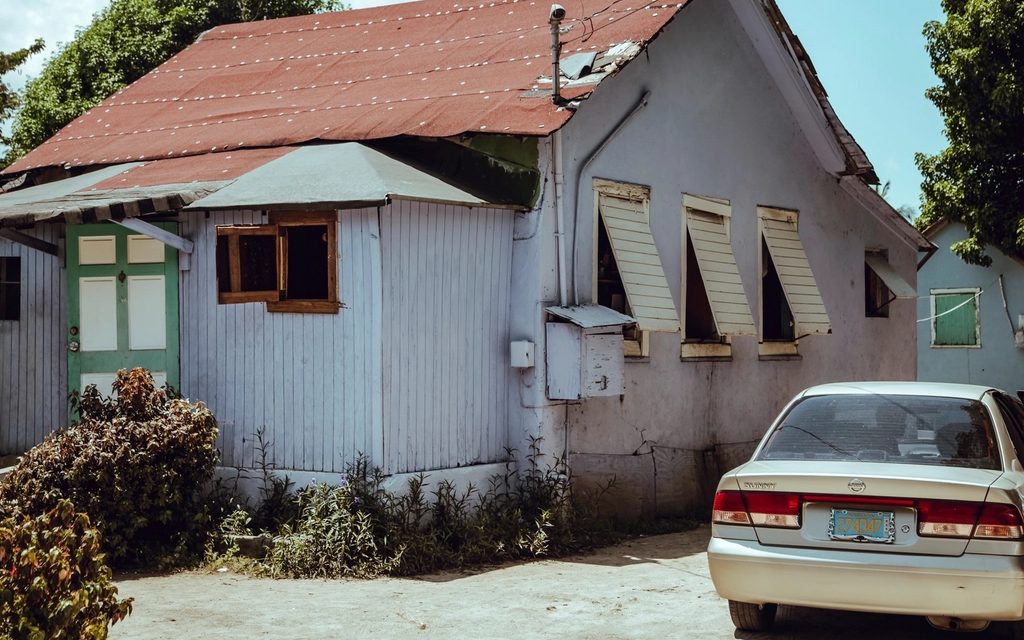 BeforeAfter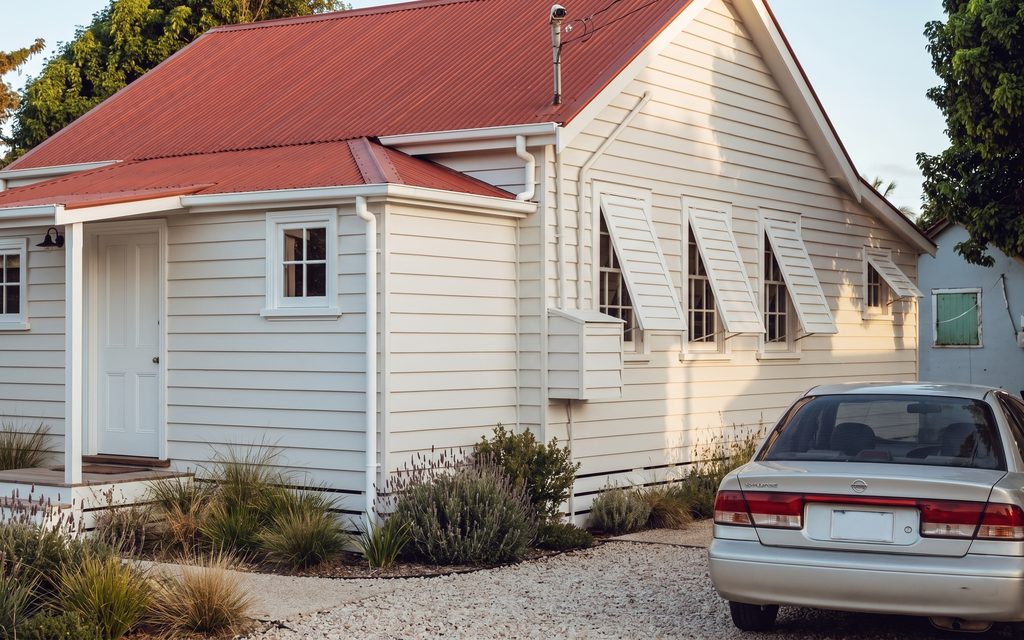
ApplyDesign sells virtual staging, in 2D and 360°, plus an AI decluttering tool that removes existing furniture, priced per image rather than by subscription: $7 through its DIY editor, or up to $10.50 for the AI-assisted staging tier, with the first image free and a money-back guarantee. That pricing model is the whole pitch -- no monthly commitment, pay for what gets used.
It is a smaller, more specialised tool than either BoxBrownie or ReimagineHome. Its own site does not publish a batch or bulk-upload workflow, does not state which countries or regions it serves, and makes no claim about preserving a room's structure while staging or decluttering it -- its copy instead emphasises showing “the true potential of any room” by clearing it out, a different promise than an architectural guarantee.
Miravely vs ApplyDesign, by the numbers
| Miravely | ApplyDesign | |
|---|---|---|
| Price | Free, then $29-$99+/mo -- about $0.30-$0.42 a room | $7 per image (DIY editor) to $10.50 per image (AI-assisted staging), first image free ApplyDesign pricing (checked September 2026) |
| Turnaround | About 30 seconds per photo | 10-15 minutes per image, by its own published estimate ApplyDesign pricing (checked September 2026) |
| Structure preservation | Yes, on every job -- wall junctions, window openings, door positions and roofline are read from the photo and held fixed, with the option to release the lock deliberately for early concept work | No published claim -- its own copy about furniture removal instead promises to reveal a room's “true potential,” not an architectural guarantee ApplyDesign about page (checked September 2026) |
| Job types | 19 (see /use-cases and /features) | About 5 -- 2D and 360° virtual staging, AI decluttering, exterior staging, and short video clips |
| Batch processing | Yes -- upload a whole listing at once, each photo downloads the moment it is ready, and one failed image does not lose the rest of the set | No batch or bulk-upload workflow published |
| Region availability | UK and US today, billed through Stripe with VAT-exclusive pricing | No stated region restriction or coverage; company is based in Tel Aviv ApplyDesign about page (checked September 2026) |
| Disclosure handling | Reminds you before generating any job that changes what is physically in the room -- staging, decluttering, an added pool -- and can write the disclosure line onto the exported image | No disclosure or MLS guidance published |
When ApplyDesign is the better choice
Anyone who genuinely needs one or two staged images a month, and nothing more, is paying for exactly that with ApplyDesign's per-image pricing -- no subscription to remember to cancel, no credits expiring unused. The first image is free, a real way to see the output before spending anything.
Its 360° staging is also a specific capability neither BoxBrownie nor Miravely currently offers: full spherical panoramas staged for a virtual-tour platform, not just flat photographs. If a listing is built around a 360° walkthrough tool, that is a real point in ApplyDesign's favour.
And a drag-and-drop DIY editor -- placing and adjusting furniture by hand rather than letting a model choose everything -- suits someone who wants more direct control over the final composition than an automated restyle gives.
When Miravely is the better choice
Volume is where the economics flip. ApplyDesign's own price stays flat per image whether it's the first or the fiftieth; Miravely's per-room cost drops from about $0.42 on Starter to roughly $0.30 on Team as the plan gets bigger, and a whole listing can go through in one batch rather than one order at a time.
Structure preservation is also a stated claim on Miravely and not one ApplyDesign's own site makes. For any job beyond simple staging over an empty room -- an exterior, a full interior restyle -- that difference is where an unstated approach is more likely to show up as a subtly wrong window or roofline.
And Miravely is explicit about disclosure, region and job scope where ApplyDesign's own site is silent: a UK-and-US-facing product with a built-in reminder before generating any job that changes what's physically in a room, plus exterior redesign, garden design, kitchen and bathroom material swaps, sketch-to-render and video, none of which ApplyDesign's own listing describes.
Questions
What people actually ask about ApplyDesign.
Does ApplyDesign have a subscription plan?
Not by its own pricing page -- it sells per image ($7 DIY, up to $10.50 AI-assisted staging), with the first image free. Miravely offers both a free signup grant and monthly plans, whichever suits the volume.
How long does ApplyDesign take per image?
Its own published estimate is 10 to 15 minutes. Miravely generates a comparable result in about 30 seconds.
Does ApplyDesign do 360° staging?
Yes -- its own site lists both 2D and 360° virtual staging, a spherical-panorama format Miravely does not currently offer.
Is ApplyDesign available outside the US?
Its own site states no region restriction, and the company is based in Tel Aviv, but it also does not publish which countries it actively serves. Miravely names the UK and US directly.
Can ApplyDesign batch a whole listing at once?
There's no batch or bulk-upload feature described on its own site. Miravely processes a whole property's photo set in one pass.
Related
See it on your own listing photo.
Free to start -- no card, no time limit on the credits.